← 주요 프로젝트← Key projects

팀 프로젝트 · 서울시 빅데이터 활용 경진대회

TEAM PROJECT · SEOUL BIG DATA COMPETITION

Seoul Vista

Seoul Vista

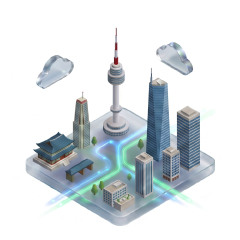
서울 지하철·버스·한강버스의 위치를 3D 지도에 보여주는 앱입니다. 막차 알림과 AI 하루 동선 기능도 제공합니다.

A 3D map of Seoul subway, bus and Han River bus positions, with last-train alerts and AI day plans.

FLUTTERDART3D MAP SDKAI APIVERCEL
담당 작업Work involved

3D 지도, 실시간 위치 보간, 공공데이터와 AI 연동

3D maps, position interpolation, open-data and AI integrations

현재 상태Current status

App Store 출시 · 웹 데모 공개

Released on the App Store; web demo published

01

프로젝트 개요

Seoul Vista의 문제 정의, 핵심 기능과 담당 범위

Seoul Vista는 서울 지하철·버스·한강버스의 실시간 위치를 3D 지도에 보여주는 Flutter 앱이다. 막차 알림, Live Activity와 SNS 콘텐츠를 활용한 AI 하루 동선 기능을 제공한다. App Store에 출시했다.

핵심 경험

  • 5분 단위 위치 데이터 사이를 보간해 지도에서는 부드러운 열차 이동으로 표현한다.
  • 열차와 역을 선택하면 카메라 추적, 도착 정보와 지연 상태를 확인할 수 있다.
  • 이미지·텍스트·URL에서 장소와 분위기를 추출하고 세 가지 하루 플랜을 만든다.
  • iOS와 Android의 시각 언어를 하나의 Flutter 코드베이스에서 적응형 UI로 제공한다.

담당 영역

3D 지도 추상화, 공공데이터 서비스, 시뮬레이션과 보간, AI 연동, 플랫폼별 UI와 배포 흐름을 통합했다.

현재 상태: 동작 가능한 앱과 웹 데모가 공개되어 있으며, 로드맵 항목은 구현 상태에 따라 분리한다.

01

Overview

Problem, experience and ownership of Seoul Vista

Seoul Vista is a Flutter app showing live subway, bus and Han River bus positions on a 3D map of Seoul. It offers last-train alerts, Live Activity and AI day plans based on social content. It is released on the App Store.

Core experience

  • Interpolate between five-minute location updates to present smooth train motion.
  • Select trains and stations for camera tracking, arrival details and delay context.
  • Extract places and mood from images, text and URLs, then generate three day-plan options.
  • Deliver platform-specific iOS and Android visual languages from one Flutter codebase.

Ownership

The work integrates 3D map abstraction, public-data services, simulation and interpolation, AI services, adaptive UI and delivery.

Current status: a working application and web demo are public. Roadmap items are separated by implementation state.

02

아키텍처

공공데이터와 AI를 3D 지도에 연결하는 계층 구조

1. 앱과 플랫폼 계층

App Shell이 routing, theme과 dependency 생명주기를 소유하고 Presentation은 지도, 패널, 검색과 일정 화면을 구성한다. iOS Glass와 Android Material 3은 Adaptive UI 계층에서 갈라지며, 화면은 서비스 구현체나 Mapbox SDK를 직접 호출하지 않는다. 인증·저장 기능은 Supabase adapter 뒤에 둬 UI 상태와 remote session을 분리한다.

2. 도시 데이터 수집과 정규화

서울 열린데이터 API의 지하철·날씨·통제 정보와 OSM GeoJSON 선로를 Data/Models 계층이 공통 모델로 변환한다. station id, line id와 좌표 계약을 기준으로 live response와 정적 geometry를 결합한다. API가 비어 있거나 제한될 때는 demo fixture가 같은 service interface를 제공해 화면 경로를 유지한다.

3. 열차 위치 생성과 렌더링

TrainSimulator가 저빈도 위치, 시간표와 선로 segment를 조합하고 TrainInterpolator가 두 update 사이 진행률을 계산한다. 결과는 IMapController의 source·layer update로 전달되며 Mapbox 구현체가 GeoJSON과 marker를 frame 단위로 갱신한다. 데이터 refresh 주기와 화면 render 주기를 분리해 5분 단위 입력을 그대로 끊긴 이동으로 보여주지 않는다.

4. AI 장소·동선 파이프라인

사용자가 넣은 SNS 이미지와 텍스트를 Gemini Vision이 장소 후보와 단서로 구조화한다. Geocoding이 후보를 좌표로 변환하고, 유효하지 않거나 서울 범위를 벗어난 결과를 제거한다. Dijkstra 기반 planner가 이동 순서를 계산한 뒤 marker, polyline과 일정 card 형태로 Presentation에 반환한다.

5. 신뢰·장애 경계

서울 API, Gemini, Mapbox와 Supabase는 서로 독립된 외부 장애 경계다. 각 adapter는 loading, empty, error와 demo 상태를 공통 모델로 바꾸며 지도 계약은 엔진 교체 영향을 제한한다. AI가 만든 장소와 경로는 제안이며 공공 안전 정보나 실시간 운행 보장을 대신하지 않는다.

6. 상태·데이터 소유권

정적 GeoJSON과 교통 상수는 앱 번들이, 검색·지도 viewport는 화면 계층이, 방·멤버·투표·위치 공유는 Supabase가 소유한다. 로컬 최근 검색과 서버 실시간 상태를 섞지 않아 네트워크 단절 때 읽기 가능한 도시 기반 정보가 남는다.

7. 성능·장애 복구

다수 노선·역·POI를 동시에 렌더하면 지도 source 갱신과 widget rebuild가 병목이 된다. viewport 기반 layer 제한, 위치 발행 throttle, 서비스별 timeout과 캐시를 검증해야 하며 마지막 정적 노선 데이터는 외부 API 실패 대체 경로다.

8. 보안·관측·기술 부채

main.dart에서 token을 debug 출력하는 경로는 제거 대상이다. Supabase RLS·방 소유자 RPC·알림 함수가 신뢰 경계를 형성하지만 통합 trace와 외부 서비스 SLO는 미구현이며 실제 지도 FPS·배터리 비용은 측정되지 않았다.

02

Architecture

Layers connecting public data and AI to a 3D map

1. Application and platform layers

The App Shell owns routing, theme and dependency lifetime, while Presentation composes maps, panels, search and itinerary views. iOS Glass and Android Material 3 diverge in Adaptive UI. Views do not call service implementations or Mapbox directly. Supabase authentication and storage sit behind adapters so remote sessions remain separate from view state.

2. City-data normalization

Data/Models converts Seoul Open Data subway, weather and closure responses plus OSM GeoJSON rails into common models. Station, line and coordinate contracts join live responses to static geometry. When an API is empty or rate-limited, demo fixtures provide the same service interface and preserve the presentation path.

3. Train position and rendering path

TrainSimulator combines low-frequency positions, schedules and rail segments. TrainInterpolator estimates progress between updates. The result becomes source and layer updates through IMapController, and the Mapbox adapter renders GeoJSON and markers per frame. Separating refresh cadence from render cadence avoids displaying five-minute input as discontinuous jumps.

4. AI place and itinerary path

Gemini Vision structures social images and text into place candidates and evidence. Geocoding turns valid candidates into coordinates and rejects malformed or out-of-Seoul results. A Dijkstra-based planner orders the route and returns markers, polylines and itinerary cards to Presentation.

5. Trust and failure boundaries

Seoul APIs, Gemini, Mapbox and Supabase are independent external boundaries. Adapters normalize loading, empty, error and demo states, while the map contract limits engine-specific changes. AI places and routes remain suggestions and do not replace official safety or real-time operating information.

6. State and data ownership

The app bundle owns static GeoJSON and transit constants, the presentation layer owns search and map viewport state, and Supabase owns rooms, members, votes and shared location. Keeping recent local searches separate leaves readable city information available during a network outage.

7. Performance and failure recovery

Rendering many lines, stations and POIs makes map-source updates and widget rebuilds likely bottlenecks. Viewport-based layer limits, throttled location publishing, per-service timeouts and caches require validation; the last static transit data is the external-API fallback.

8. Security, observability and debt

A debug path that prints the map token in main.dart should be removed. Supabase RLS, owner RPCs and notification functions form trust boundaries, but unified tracing and external-service SLOs are missing. Map FPS and battery cost have not been measured.

구조와 데이터 흐름

Structure and data flow

도식을 누르면 크게 볼 수 있습니다. 구현 여부와 참고한 코드도 표시했습니다.

Select a diagram to enlarge it. Labels show implementation status and source files.

01
시스템 컨텍스트 · 신뢰 경계System context · trust boundaries여행자 앱이 지도·서울 공공데이터·AI·실시간 공유를 조정합니다.Traveler app coordinates maps, Seoul open data, AI and live sharing.
선택하면 전체 화면에서 세부 구조와 근거 번호를 볼 수 있습니다.Select to inspect the structure and evidence references full screen.
02
런타임 · 모듈 · 상태 소유권Runtime · modules · state ownership서비스, 지도 엔진, 위젯, Supabase 상태의 소유권을 분해합니다.Decomposes ownership across services, map engines, widgets and Supabase state.
선택하면 전체 화면에서 세부 구조와 근거 번호를 볼 수 있습니다.Select to inspect the structure and evidence references full screen.
03
핵심 사용자 흐름 · 요청 시퀀스Core user flow · request sequence장소 검색에서 경로·실시간 공유·지도 렌더까지의 흐름입니다.Flow from place search to routing, live sharing and map rendering.
선택하면 전체 화면에서 세부 구조와 근거 번호를 볼 수 있습니다.Select to inspect the structure and evidence references full screen.
04
데이터 · 배포 · 보안 · 복구Data · delivery · security · recovery정적 지리 데이터, 플랫폼 키, Supabase 마이그레이션과 복구 경계를 표시합니다.Shows static geodata, platform keys, Supabase migrations and recovery boundaries.
선택하면 전체 화면에서 세부 구조와 근거 번호를 볼 수 있습니다.Select to inspect the structure and evidence references full screen.
03

기술적 결정

지도, 보간과 플랫폼 UI에 관한 핵심 선택

지도 엔진 추상화

화면이 Mapbox API에 직접 의존하면 SDK 교체와 테스트가 어렵다. 공통 IMapController를 두고 Mapbox를 기본 구현으로 선택했다. 초기 구현량은 늘지만 지도 엔진과 UI의 결합을 낮춘다.

위치 갱신과 렌더링 분리

공공 API는 5분 단위로 갱신되지만 화면은 연속적인 움직임이 필요하다. 실제 응답을 매 프레임 요청하는 대신 시간표와 선로를 이용해 위치를 보간한다. 부드러움은 얻지만 시뮬레이션 값과 실제 관측값을 UI에서 구분해야 한다.

플랫폼 적응형 UI

iOS의 반투명 Glass와 Android Material 3을 하나로 타협하지 않고 adaptive 위젯 계층에서 분기한다. 도메인 화면은 유지하면서 플랫폼별 chrome과 토큰만 교체한다.

지도 조명과 앱 테마 분리

주간·야간 지도 조명은 실제 시간에, 패널의 밝고 어두운 테마는 사용자 설정에 따른다. 두 상태를 독립시켜 다크 모드에서도 주간 도시 지도를 표현할 수 있다.

03

Decisions

Key map, interpolation and platform UI choices

Abstract the map engine

Direct Mapbox calls from views would make SDK replacement and testing difficult. A shared IMapController keeps presentation code independent while Mapbox remains the primary implementation. This costs more initial interface work but reduces coupling.

Separate updates from rendering

Public positions arrive every five minutes while the screen requires continuous motion. The app uses schedules and rail geometry for interpolation instead of requesting data each frame. The UI must therefore distinguish estimated motion from observed positions.

Use platform-adaptive UI

iOS translucent glass and Android Material 3 are not collapsed into a lowest-common-denominator theme. Adaptive widgets swap platform chrome and tokens while domain views remain shared.

Separate map lighting from app theme

City lighting follows time of day, while panel theme follows user preference. Independent state allows a daytime city under a dark application theme without conflating the two systems.

04

검증

지도와 데이터 흐름의 확인 방법 및 알려진 한계

확인 항목

  • 노선 GeoJSON이 실제 노선 순서와 연결되는지 확인한다.
  • Live와 Demo 모드가 같은 지도·패널 계약을 사용하는지 비교한다.
  • API 갱신 사이에서 열차가 선로를 벗어나지 않고 보간되는지 검증한다.
  • iOS Glass와 Android Material 3 분기가 동일한 기능과 접근 경로를 제공하는지 확인한다.
  • API 키는 저장소에 포함하지 않고 --dart-define과 플랫폼 설정으로 주입한다.

성능 대응

기기 프로필에 따라 FPS와 polling 주기를 조절하고 사용자가 설정에서 값을 변경할 수 있다. README에는 60fps 목표와 보간 동작이 명시되어 있지만 전체 기기군의 프레임 유지율은 공개 수치가 없어 측정되지 않음으로 표시한다.

알려진 한계

공공 API 지연과 누락은 클라이언트가 해결할 수 없다. 보간은 시각적 연속성을 높이지만 실제 열차의 정밀 추적을 대신하지 않는다. Gemini와 Geocoding 결과도 사용자 검토가 필요한 추천 정보다.

04

Validation

Verification paths, performance handling and known limits

Verification targets

  • Confirm that line GeoJSON preserves rail order and connectivity.
  • Compare Live and Demo modes against the same map and panel contracts.
  • Verify that interpolation remains on rail geometry between API updates.
  • Confirm functional parity between iOS Glass and Android Material 3 variants.
  • Keep API keys outside the repository and inject them through --dart-define and platform settings.

Performance handling

Device profiles adjust FPS and polling intervals, with user overrides available in settings. The repository documents a 60fps target, but sustained frame-rate coverage across a full device matrix is not measured publicly.

Known limits

The client cannot eliminate delayed or missing public data. Interpolation improves visual continuity but is not precise train tracking. Gemini and geocoding outputs remain recommendations that require user review.

05

로드맵

Seoul Vista의 완료 기능과 이후 확장

완료

  • Mapbox 3D 지도와 지도 컨트롤러 추상화
  • 서울 지하철 노선·역·열차 데이터 시각화와 프레임 보간
  • 열차·역 선택, 카메라 추적, 날씨와 시간대 조명
  • 이메일·소셜·게스트 인증과 플랫폼 적응형 UI
  • Gemini Vision 기반 SNS 분석과 하루 플랜
  • 기기별 렌더링·polling 조절

진행 중

  • 실시간 데이터 예외 처리와 지연 감지 정확도 개선
  • 여행 탭과 저장 장소 기반 플랜의 사용 흐름 정리

계획

  • 혼잡도 히트맵과 복합 길찾기
  • 음성 비서와 내비게이션 연동
  • iOS Live Activity와 온보딩 강화
  • 스토어 배포를 위한 권한·개인정보·성능 검증

제외

안전 운행이나 실제 관제 판단을 위한 시스템은 아니다. 공개 데이터의 지연과 AI 추천의 불확실성을 숨기지 않는 시각화·탐색 도구로 유지한다.

05

Roadmap

Completed work and future direction for Seoul Vista

Completed

  • Mapbox 3D map and map-controller abstraction
  • Line, station and train visualization with frame interpolation
  • Train and station selection, camera tracking, weather and time lighting
  • Email, social and guest authentication with adaptive platform UI
  • Gemini Vision social-content analysis and day plans
  • Device-aware rendering and polling controls

In progress

  • Stronger live-data failure handling and delay detection
  • Refinement of saved-place and travel-tab flows

Planned

  • Congestion heatmaps and multimodal routing
  • Voice assistance and navigation integration
  • iOS Live Activities and stronger onboarding
  • Permission, privacy and performance validation for store delivery

Out of scope

This is not a safety-critical train-control or dispatch system. It remains an exploration and visualization product that exposes public-data delays and AI uncertainty.

확대 보기Expanded view

도식을 좌우로 이동하거나 확대해 세부 흐름을 확인할 수 있습니다.

Pan or zoom the diagram to inspect the detailed flow.